ZEALO
Adaptive AI Fitness Intelligence · iPhone + Apple Watch
Privacy-first fitness intelligence platform spanning iPhone, Apple Watch, widgets, Live Activities, and Dynamic Island, with 1,300+ organic downloads and 1st Place at CBIC 2026.
- Organic downloads
- 1,300+
- CBIC 2026
- 1st
- Live-AI run
- 82/82
- Model calls
- 9 → 4
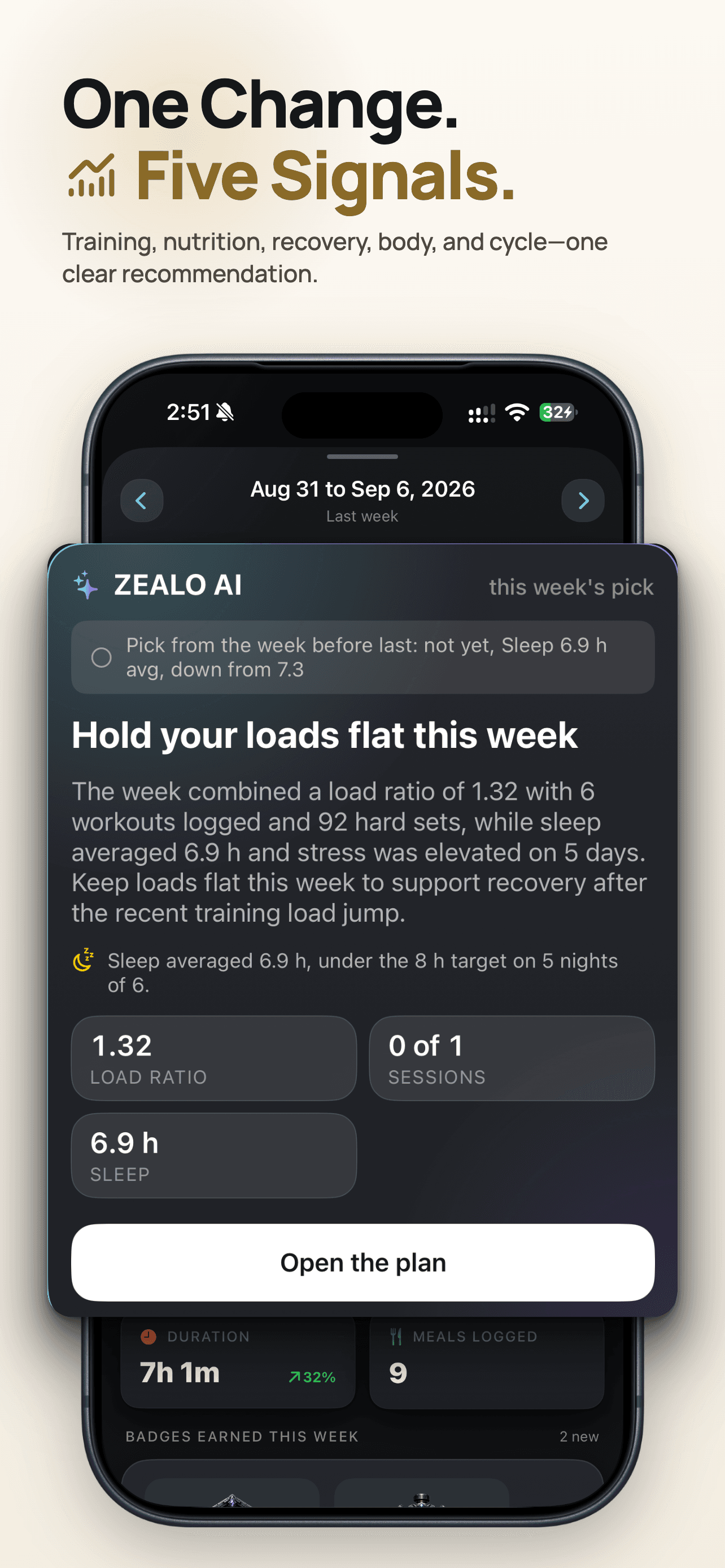
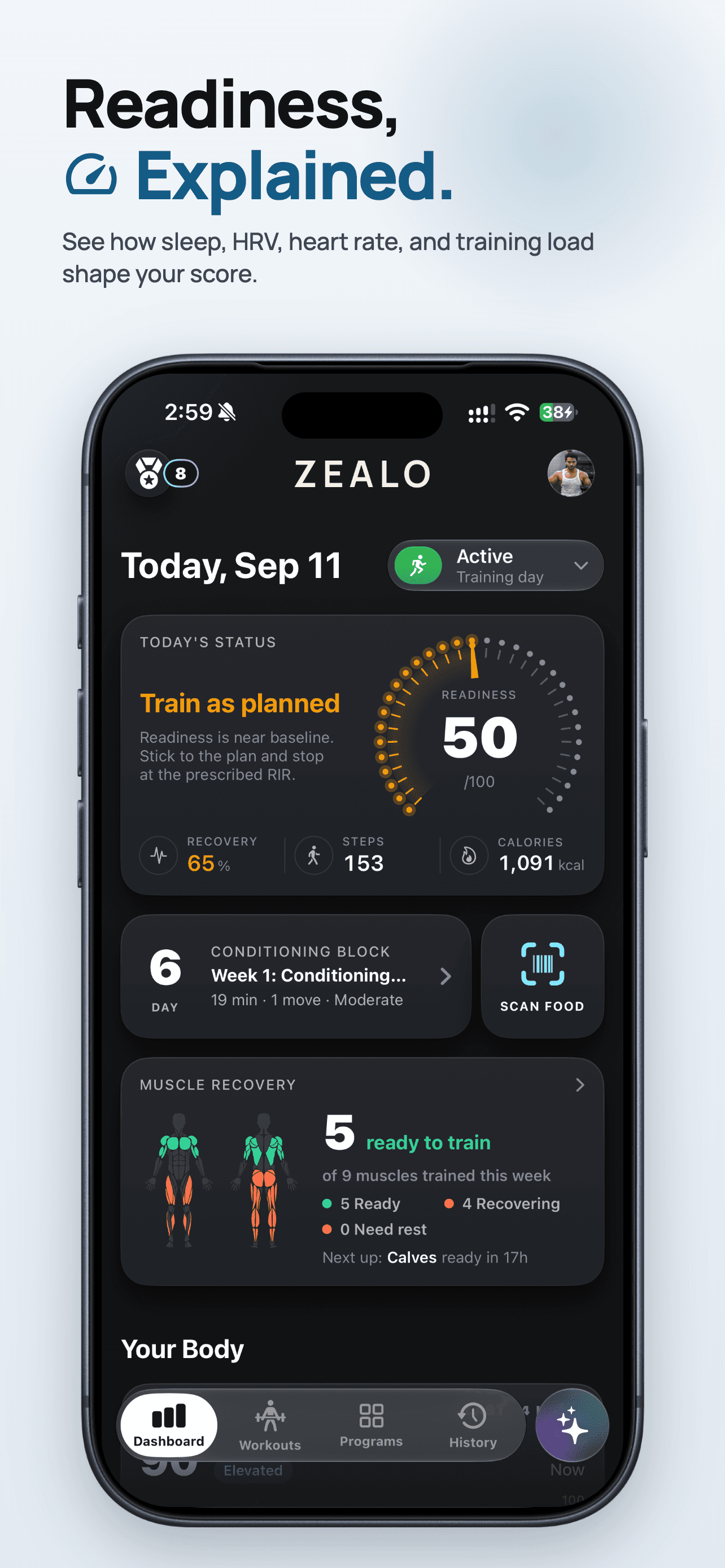
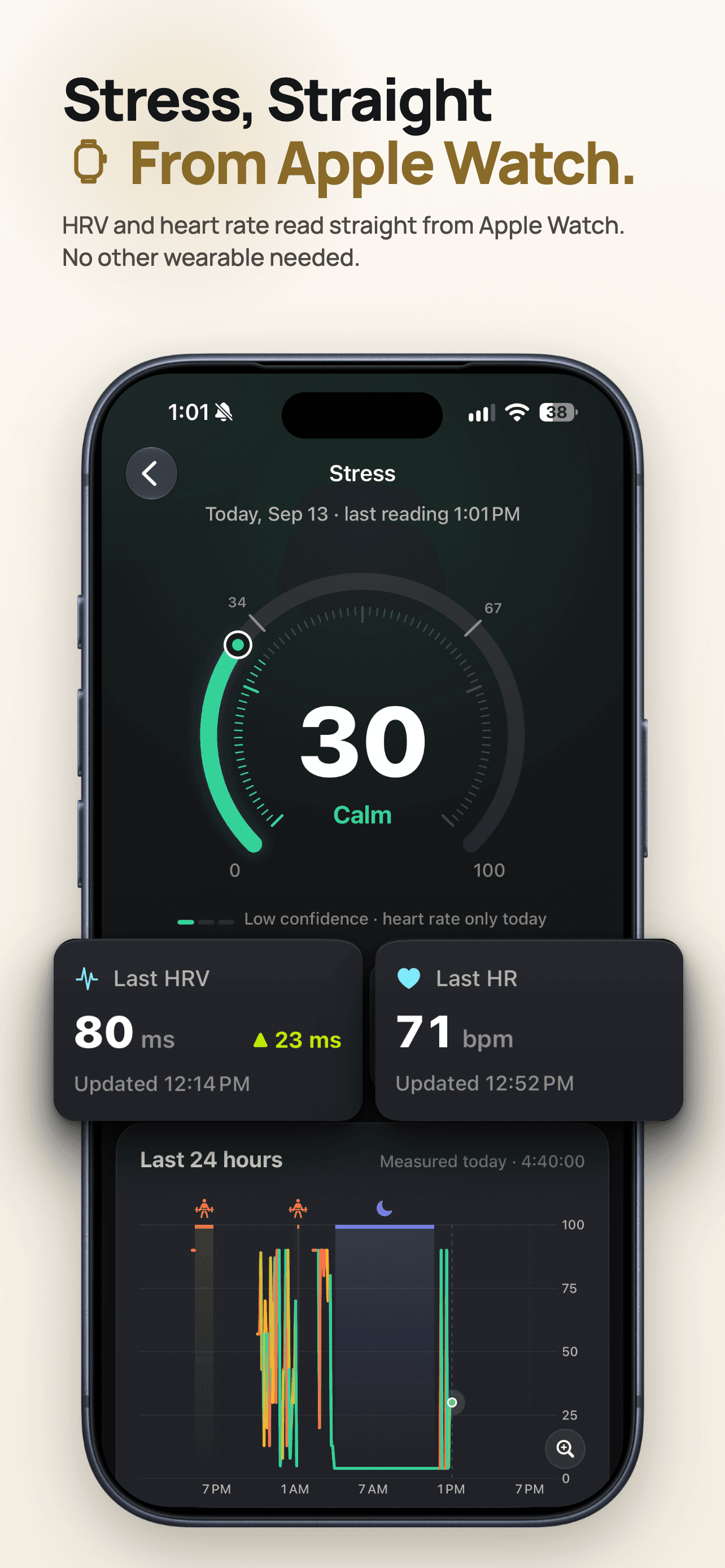
ZEALO screens.
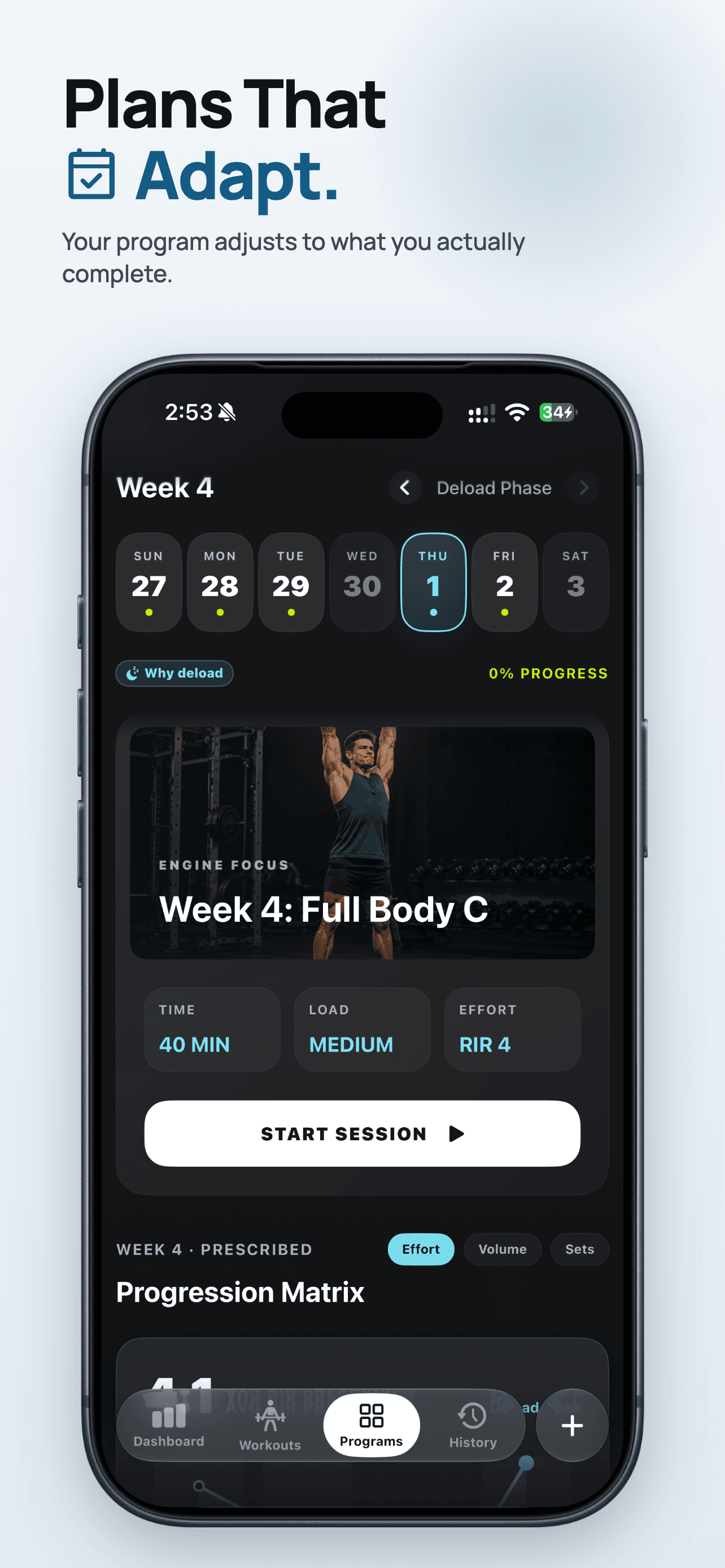
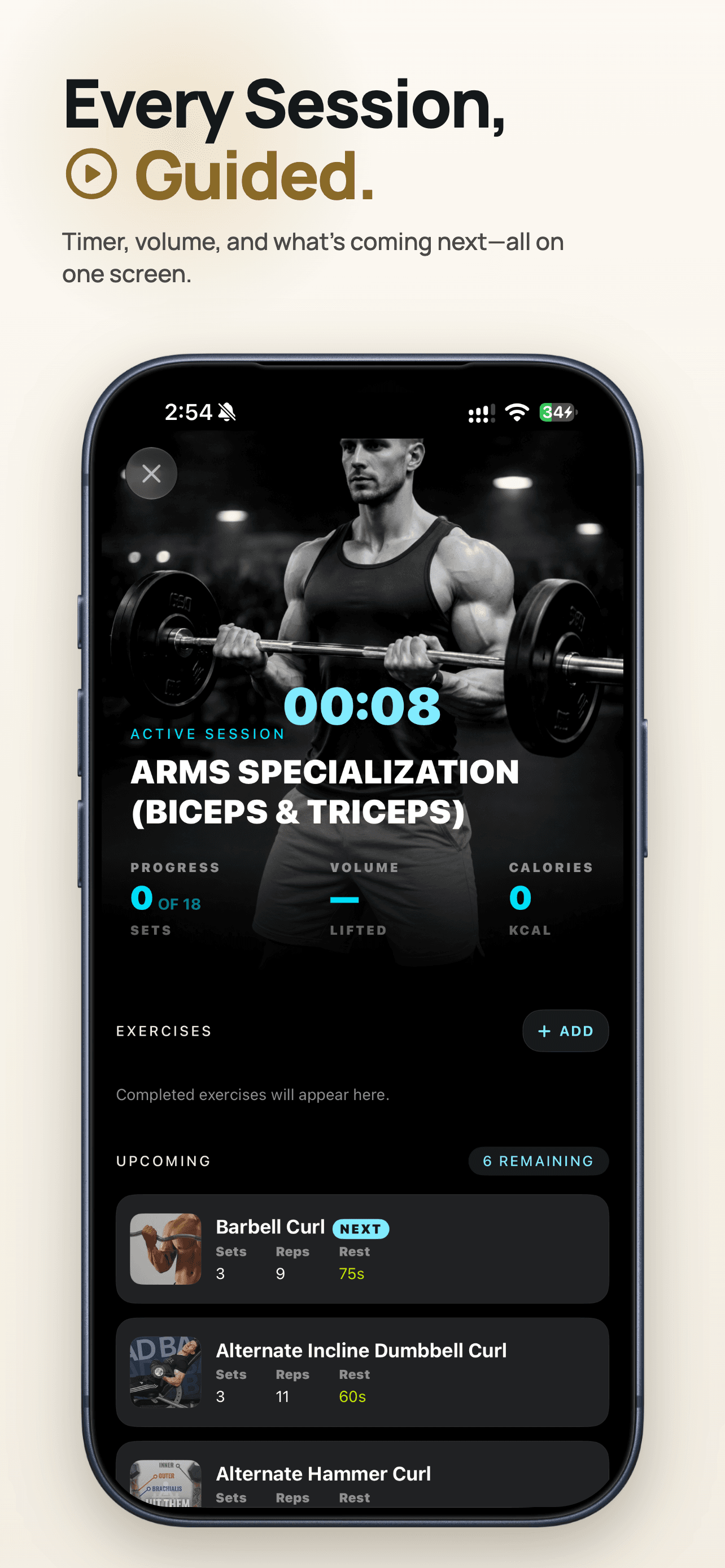
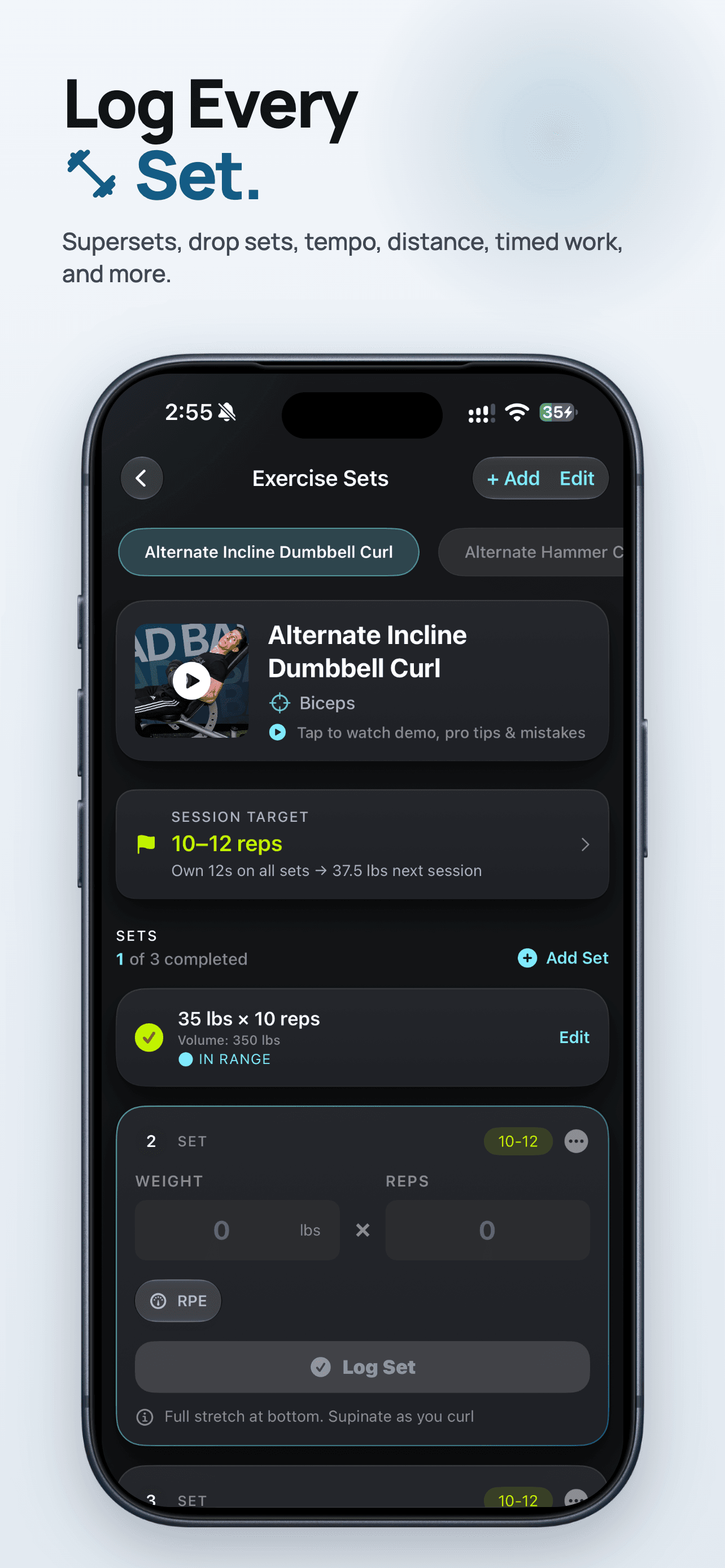
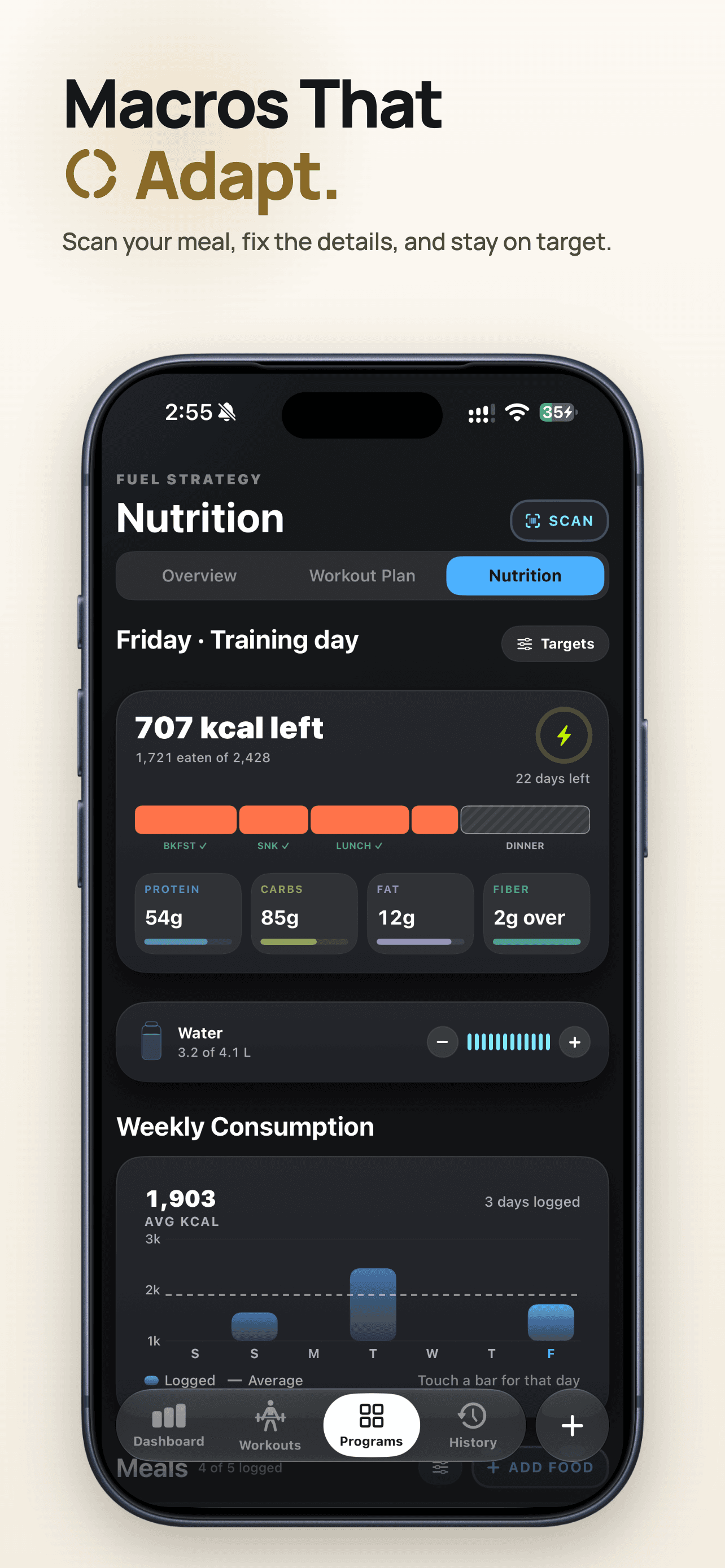
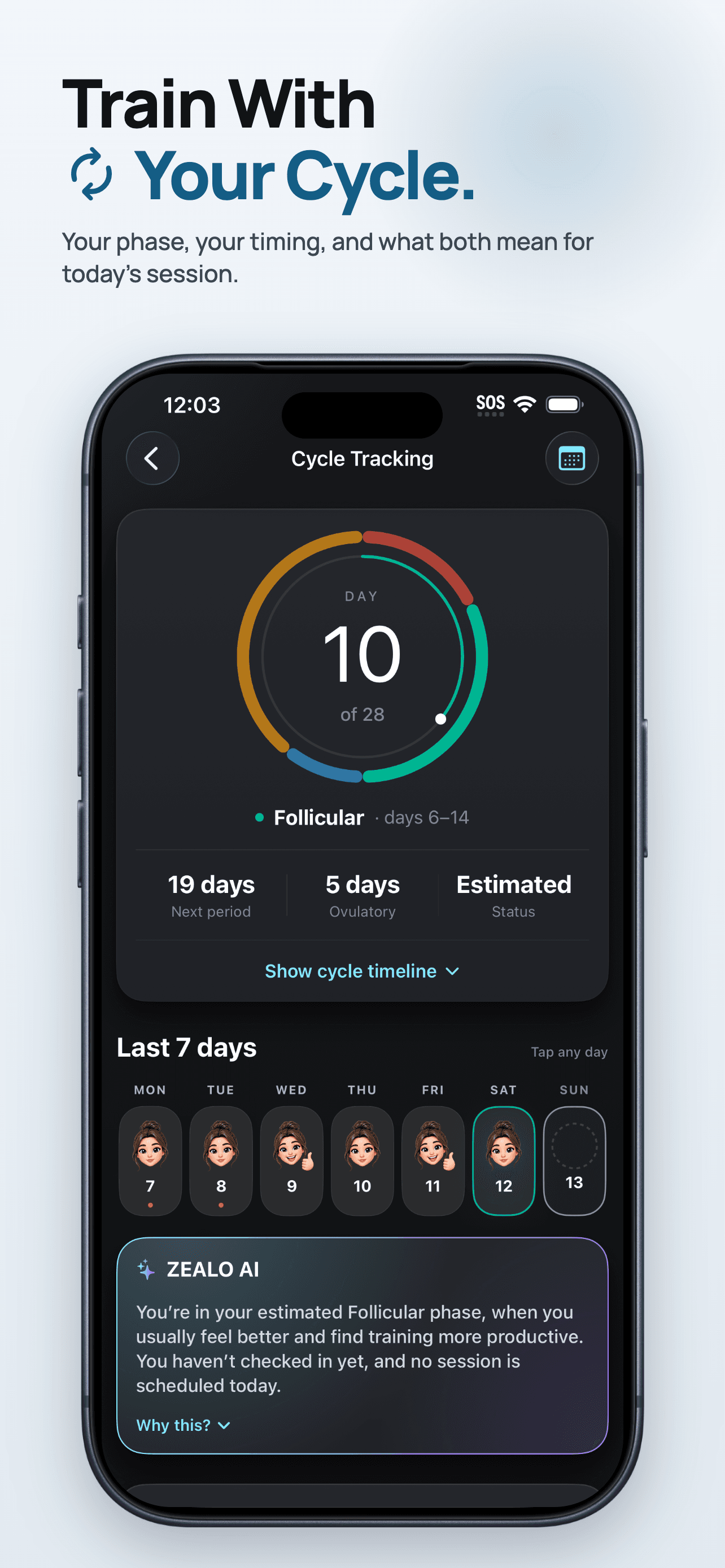
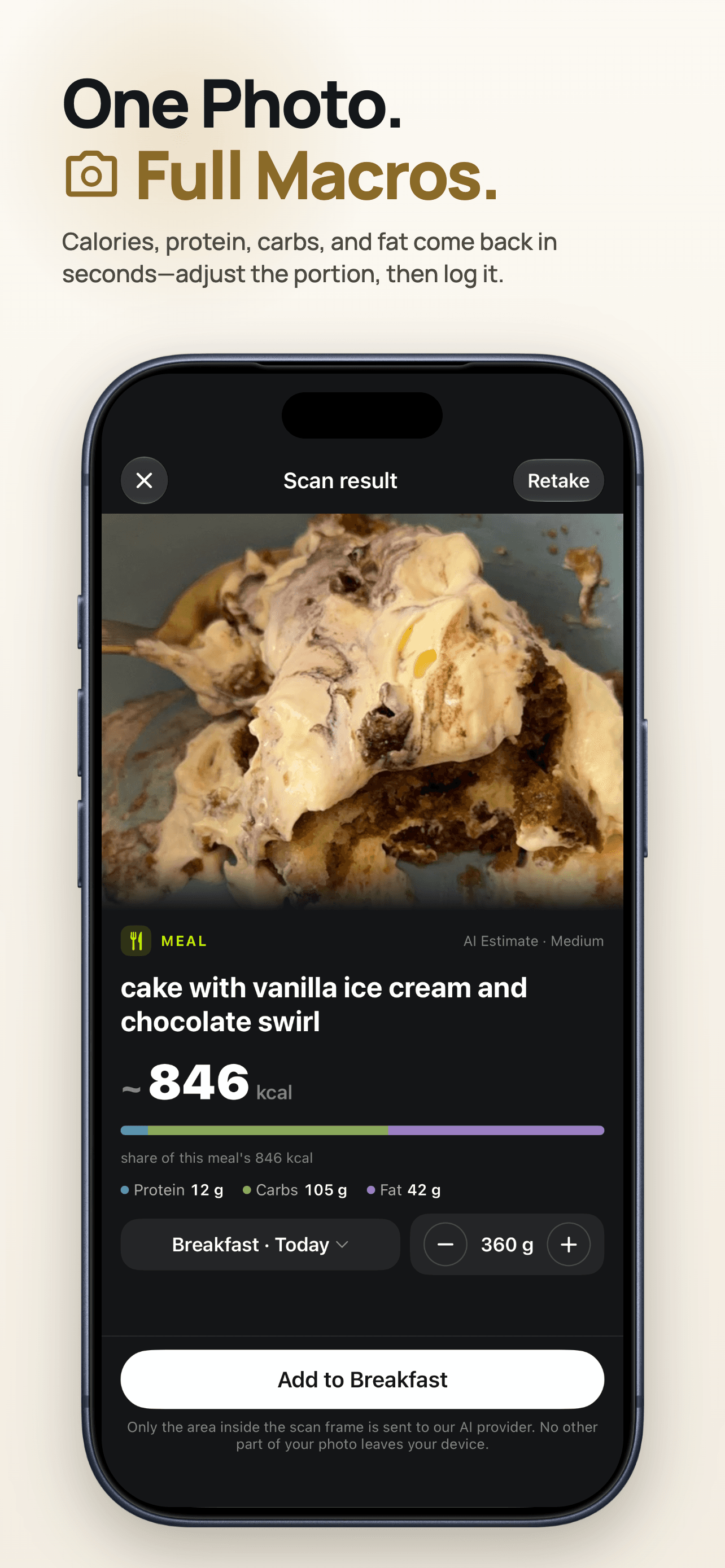
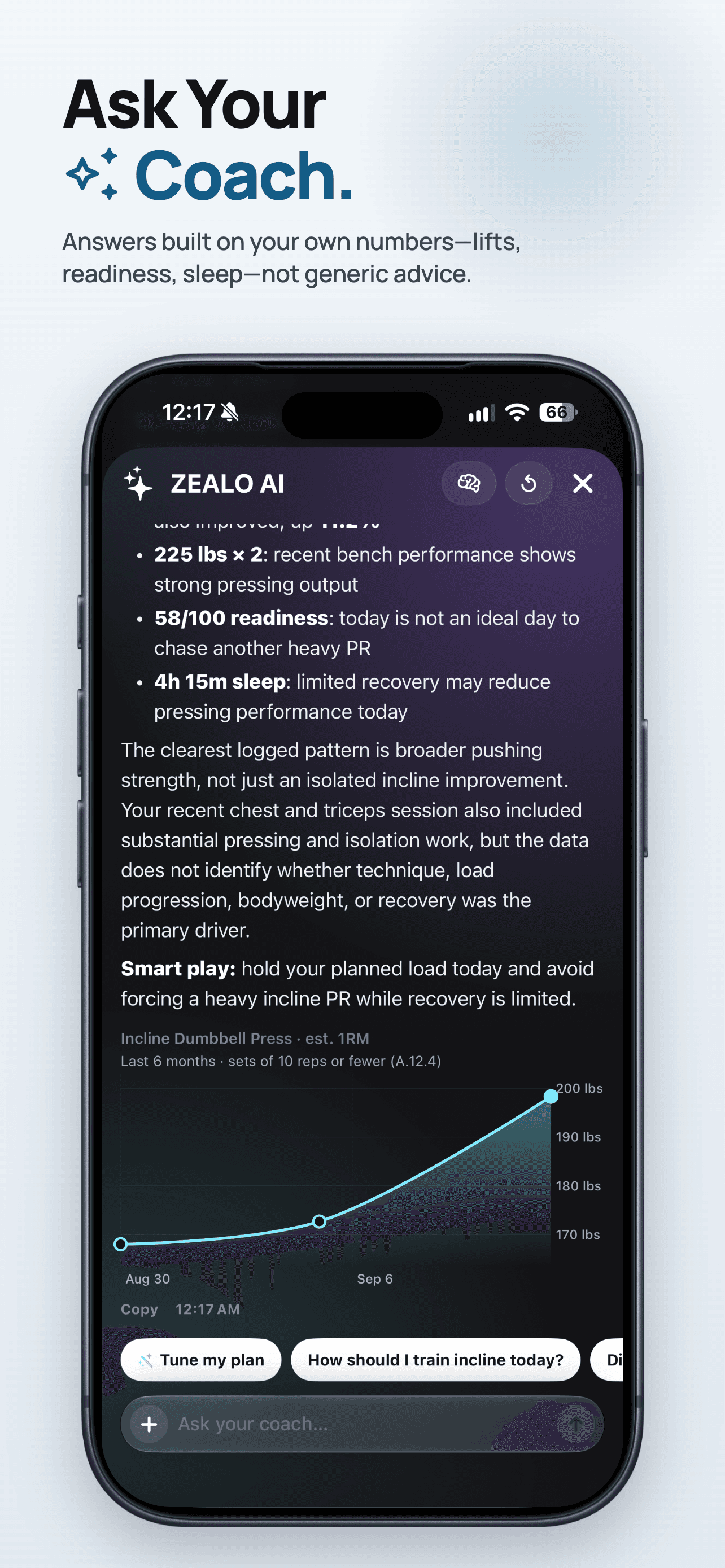
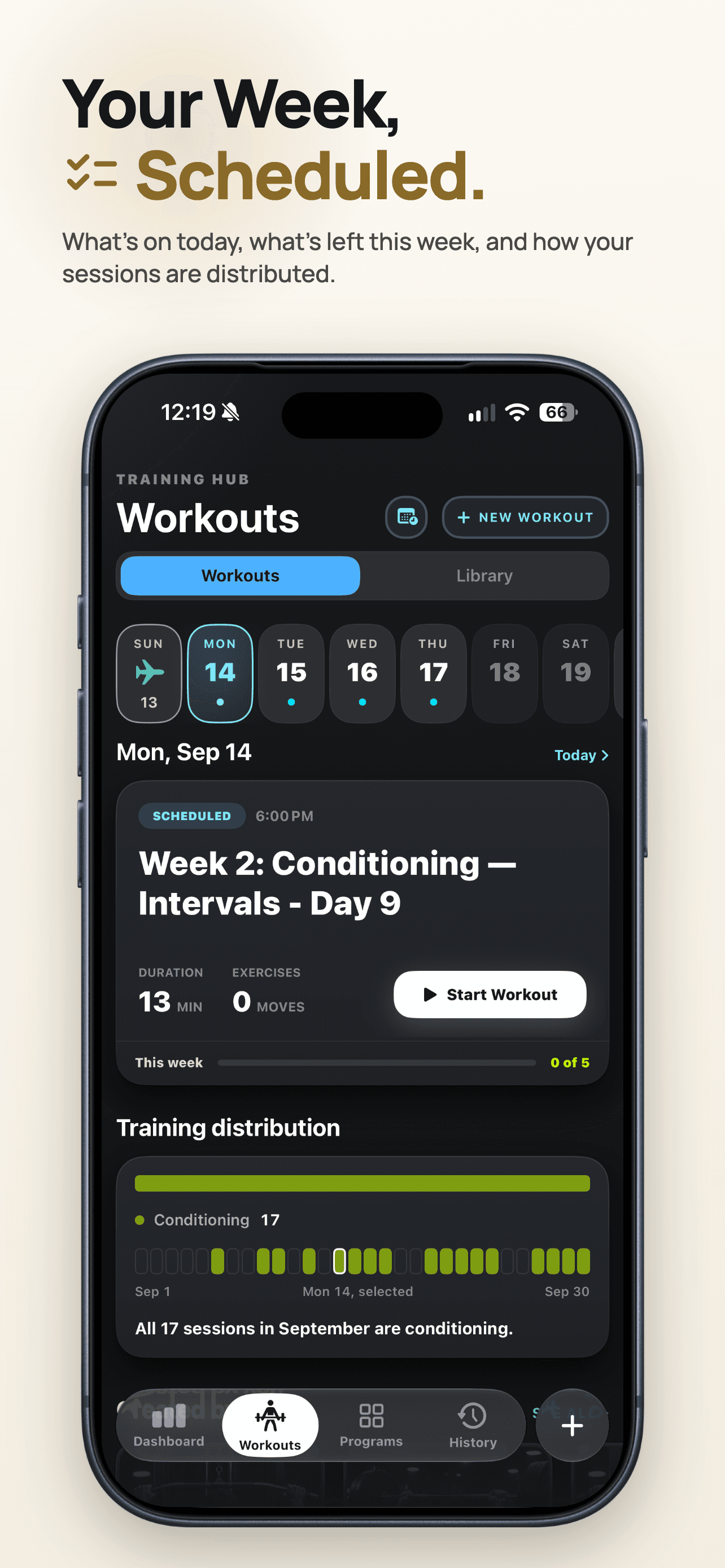
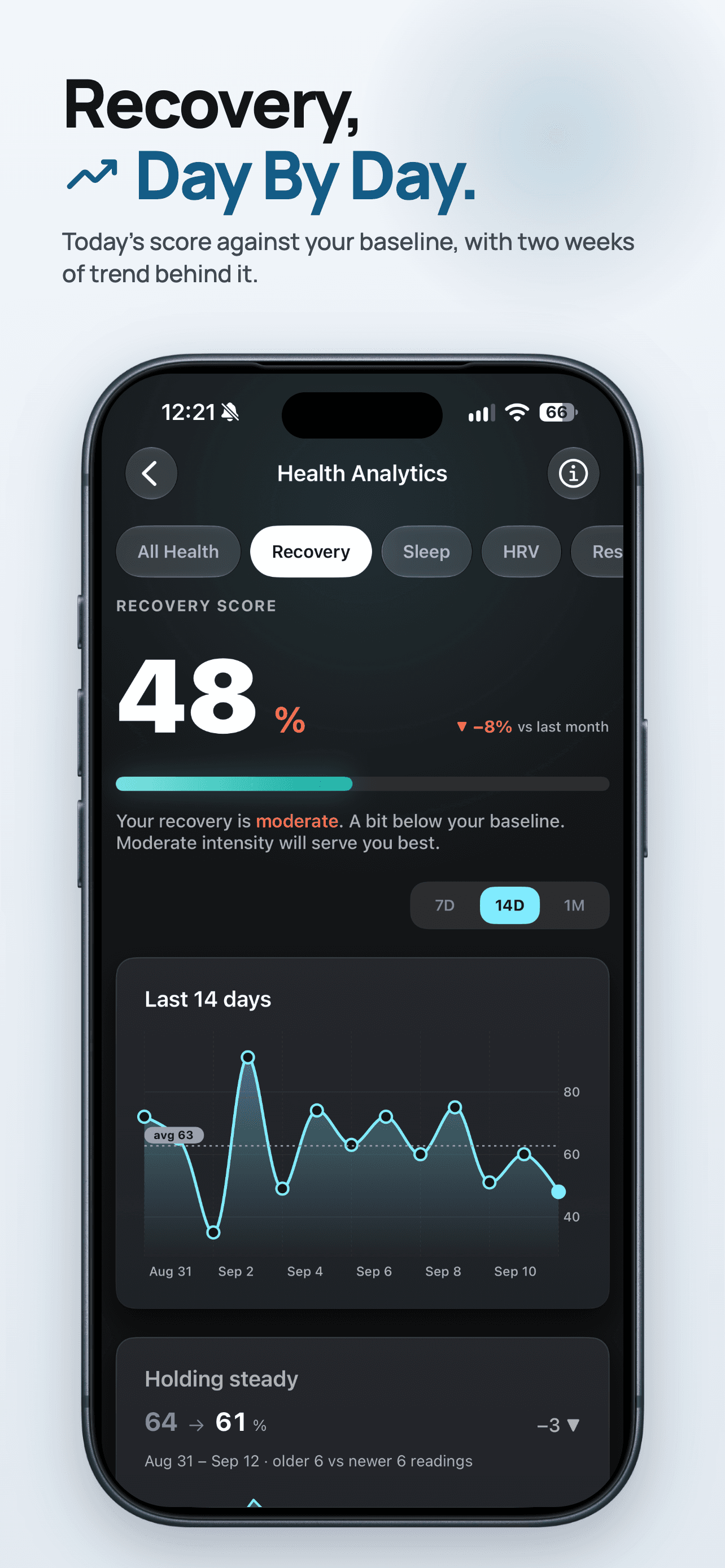
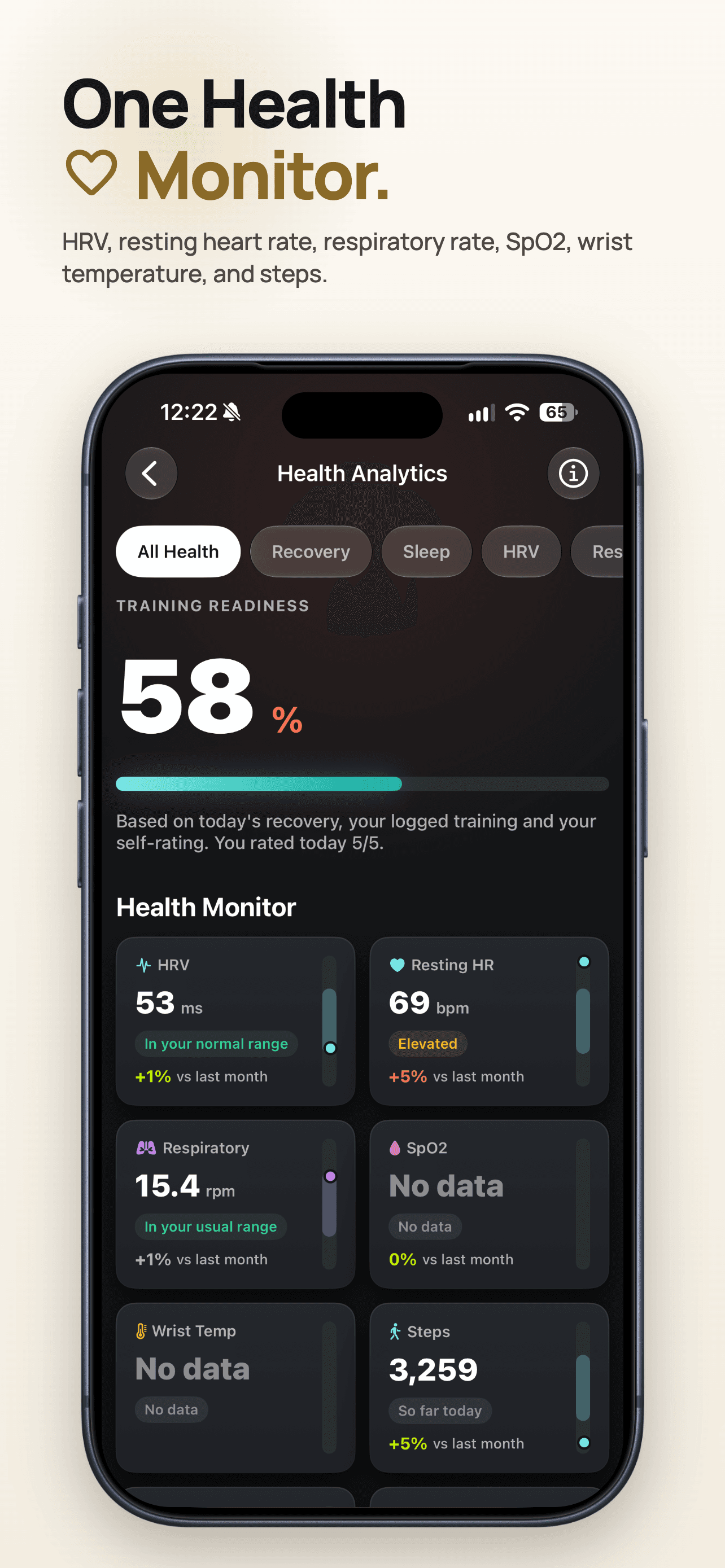
Overview
ZEALO (formerly RepTrack Pro) pairs a hybrid deterministic + LLM coaching system with HealthKit-based recovery and readiness models. Structured outputs, validation gates, on-device intent routing, and offline fallbacks keep the AI coach private and reliable.
What I built.
- 01Hybrid deterministic + LLM system with structured outputs, validation gates, evidence-backed constraints, on-device intent routing, and offline fallbacks, cutting AI-coach execution from up to 9 model calls to a 4-call budget per question
- 024- to 12-week adaptive training-plan engine with automated progression, constraint validation, retry-on-violation, and deterministic fallback
- 03Plan generation validated through an 82/82 live-AI run, a ~3,945-case test matrix, adversarial testing, and 6 XCUITest flows
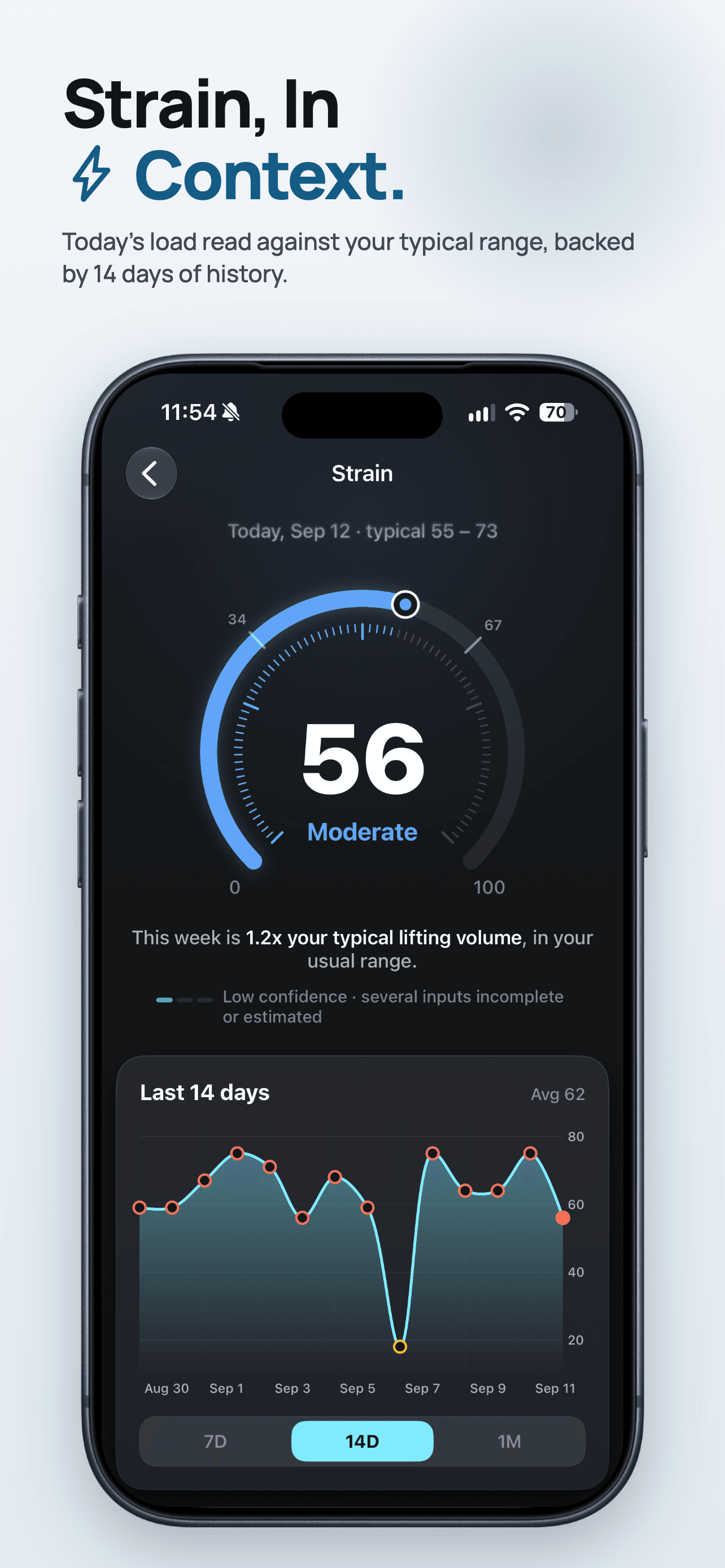
- 04HealthKit-based Recovery, Training Readiness, Strain, and Stress systems on personalized baselines, plus adaptive nutrition, menstrual-cycle-aware guidance, and Weekly Intelligence
- 05Calorie model rebuilt on 2024 Compendium MET values, correcting a 6-hour idle-workout estimate from 1,260 kcal to 53 kcal
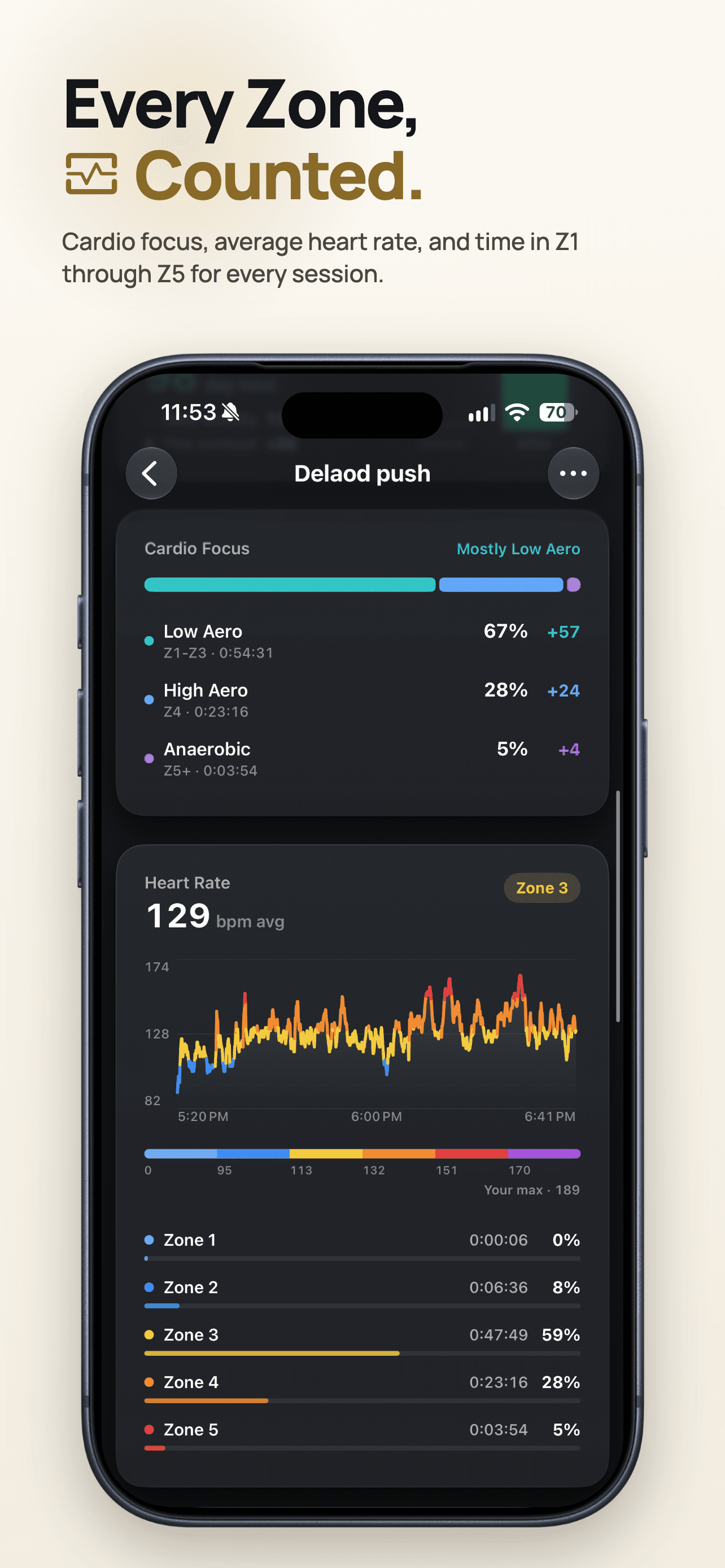
- 06Apple Watch companion with live workout execution, heart-rate zones, motion-based rep detection, and effort scoring
- 07WHOOP, Oura, Fitbit, and Garmin signals normalized into one intelligence layer for readiness, training, recovery, and recommendations
- 08StoreKit 2, iCloud sync, Firebase Analytics, Realtime Database, Crashlytics, and App Check for subscriptions, sync, telemetry, diagnostics, and integrity
Project details
In depth.
iOS fitness and workout tracking app with plans, nutrition, history, and profile. Built with SwiftUI and SwiftData.
What's New in 2.0
- Trainer document import: Import workout plans from PDF, DOCX, CSV, and spreadsheet files, extract structured data, review exercise matches, and save them as reusable templates.
- Expanded template system: Default templates now load from bundled JSON, with category-based browsing, a new detail experience, and centralized weekly/monthly schedule logic.
- Deeper analytics: Dashboard now has richer personal-record tracking and muscle-distribution visuals, while workout history adds smarter comparisons, workout quality scoring, and PR detection.
- Broader reliability coverage: New automated tests cover exercise matching, template scheduling, performance analytics, personal-record calculations, and workout schedule safety.
- Cross-app polish: Profile flows, iCloud backup, widgets/live activities, haptics, and workout visuals were refreshed as part of the 2.0 update.
App Tabs Overview
| Tab | Icon | Purpose |
|---|---|---|
| Dashboard | Chart | Overview, insights, next meal, recovery |
| Workouts | Dumbbell | Today’s workout, schedule, exercise library |
| Programs | Grid | Fitness plans, workout & nutrition plans |
| History | Clock | Past workouts, calendar, filters |
| Profile | Person | Profile, metrics, health, settings access |
Dashboard Tab
Purpose: Central home screen with health summary, insights, and quick-access cards.
| Feature | Description |
|---|---|
| Health recovery card | Recovery/readiness summary (e.g. HealthKit-based) |
| AI insights card | Short insights/suggestions |
| Next meal card | Next meal from active nutrition plan (if plan has meals) |
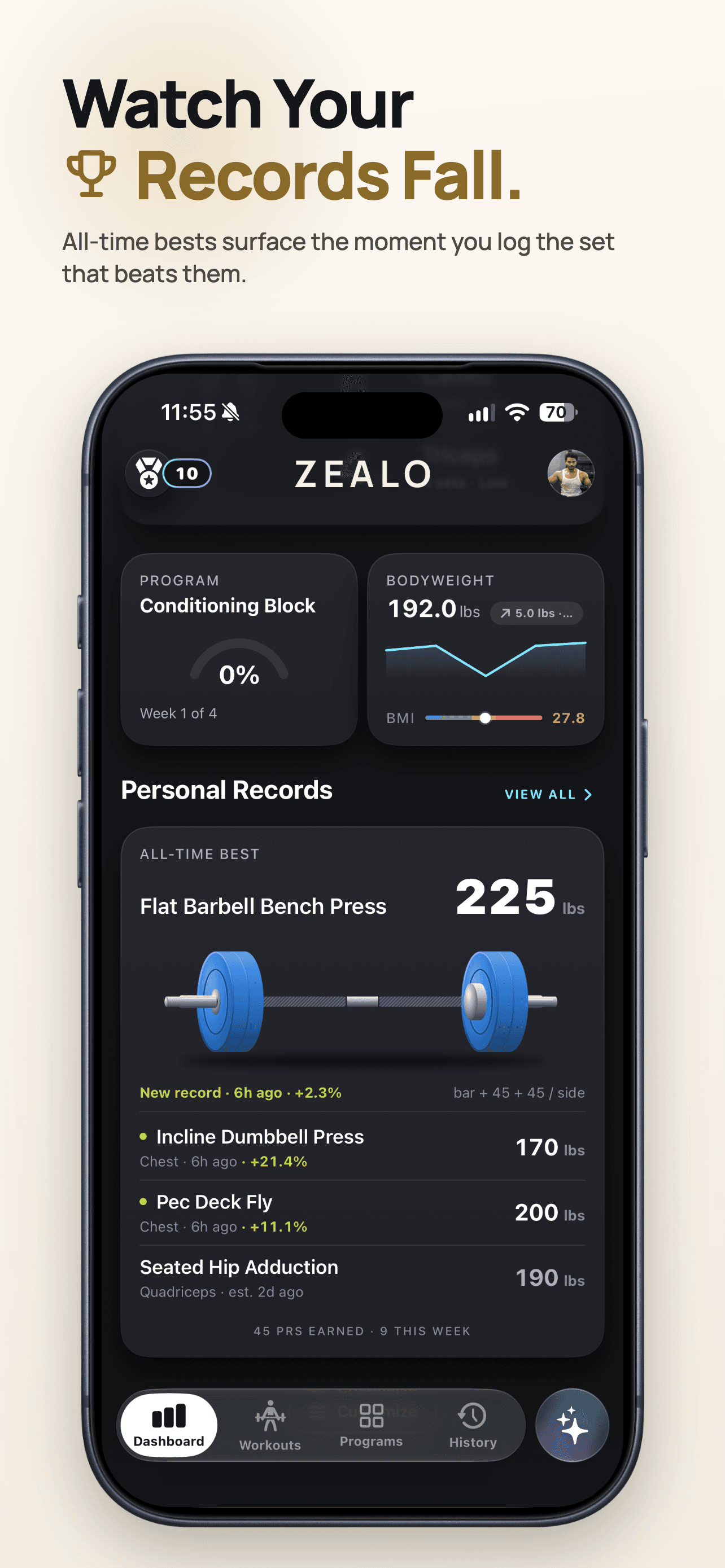
| Personal records card | Recent PRs powered by dedicated personal-record tracking |
| Workout intensity card | Intensity or load summary |
| Body measurements card | Recent body metrics / measurements |
| Weekly summary | Weekly stats (workouts, volume, etc.) with charts |
| Muscle group donut chart | Interactive donut chart for muscle distribution and emphasis |
| Unified chart | Combined chart for trends |
| Streak detail | Workout streak view |
Workouts Tab
Purpose: Start and manage workouts, view schedule, and browse exercises. Three sub-tabs: Workouts, Schedule, Library.
Workouts (“Your Workouts”)
| Feature | Description |
|---|---|
| Today’s workout | Today’s workout from plan or template |
| Quick start | Start a workout from quick-start sheet |
| Quick actions | Shortcuts (e.g. start workout, open plan) |
| AI plans section | Link/summary to plan-based workouts (when plan is started) |
| Workout templates | Default & custom templates; “View all” → Templates list |
| Default templates | Built-in templates imported from bundled JSON on first launch |
| Template categories | Browse coach-designed templates by workout category |
| Custom templates | User-created templates |
| Template detail | View/edit template, start workout from template |
| Template scheduling | Weekly/monthly schedule rules with next-occurrence logic |
| Active workout | In-workout UI: exercises, sets, rest, completion |
| Workout countdown | Pre-workout countdown |
| Workout completion | Post-workout summary sheet |
| Set logging | Log reps/weight per set; ML-based suggestions (CoreML) with rule-based fallback |
Schedule
| Feature | Description |
|---|---|
| Schedule calendar | Calendar view of scheduled workouts |
| Weekly calendar | Week view for schedule |
| Workout schedule cards | Cards for each scheduled workout |
| Sync from plan | Sync schedule from active fitness plan |
| Calendar events | Map schedule to device calendar |
| Workout programs view | View program / multi-week plan |
Library
| Feature | Description |
|---|---|
| Browse exercises | Browse by category / muscle group |
| Exercise categories | Categories (e.g. strength, cardio, bodyweight) |
| Muscle group exercises | Exercises by muscle group |
| Exercise muscle detail | Exercise detail (instructions, muscle focus) |
Programs (Plan) Tab
Purpose: Create and manage fitness programs (workout + nutrition). When no plan exists, a welcome/onboarding view is shown; when a plan exists, three segments: Overview, Workout Plan, Nutrition Plan.
| Feature | Description |
|---|---|
| Plan creation flow | Steps: goal, duration, workouts/week, time, diet, etc. |
| Trainer document import | Import a trainer-provided workout file and convert it into reusable templates |
| AI plan generation | Workout + nutrition plans generated by an LLM |
| Pattern-based plan generation | Chunked AI + quality curation + fallbacks |
| Fallback plan generation | Rule-based workouts/nutrition when the AI path is unavailable |
| Overview | Plan summary, stats, progress |
| Workout plan | List of workout days; day detail (exercises, warmup/cooldown) |
| Nutrition plan | Nutrition days, meals, macros; day selector |
| Plan history | Past plans / history view |
| Health sources sheet | Links/sources for fitness & nutrition info |
History Tab
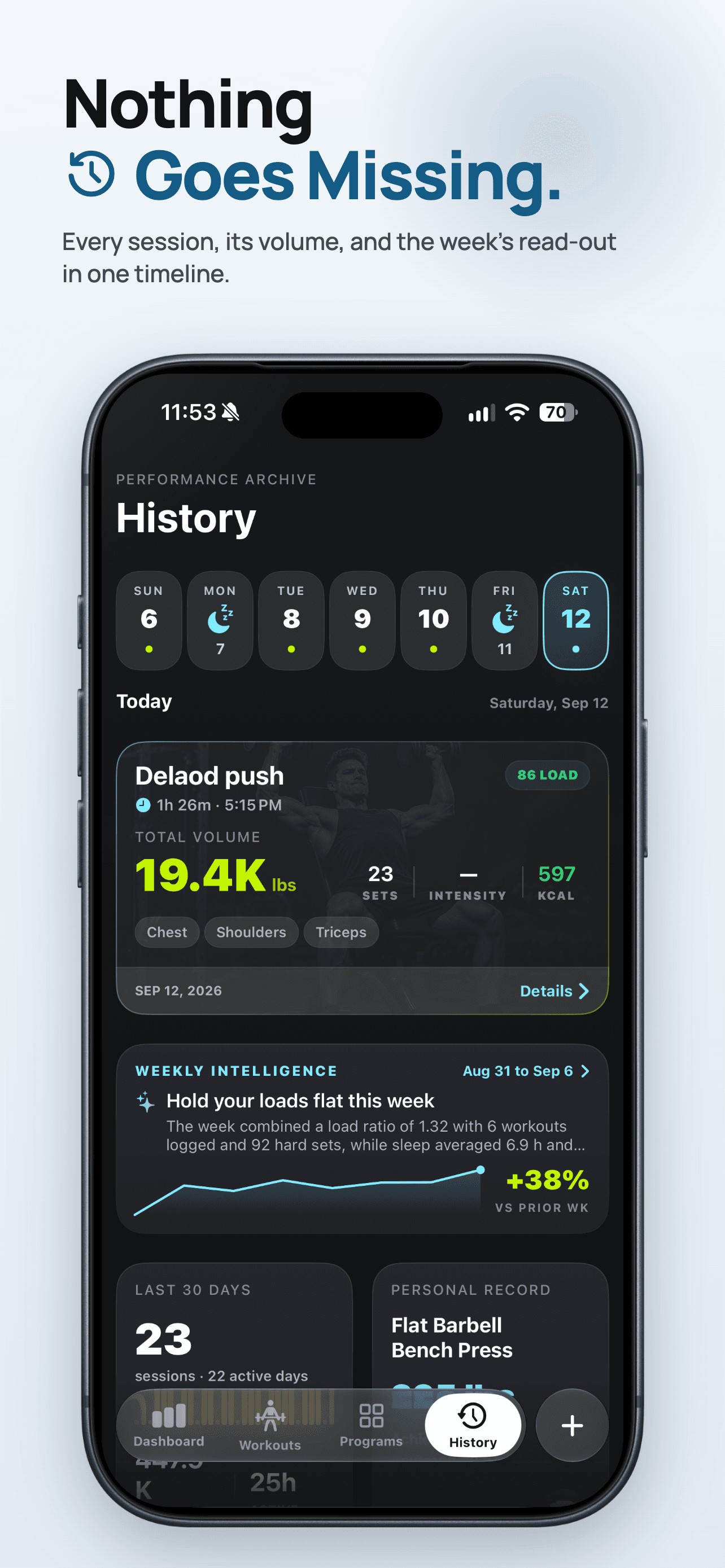
Purpose: Browse and inspect past workouts.
| Feature | Description |
|---|---|
| Workout list by day | Workouts grouped by day |
| Calendar view | Date-based navigation |
| Filters | e.g. All / This week / calendar range |
| Workout detail | Full workout detail (exercises, sets, duration) |
| Performance analytics | Similar-workout comparison, workout quality scoring, and PR insights |
| Workout type-specific cards | Cards for Strength, Cardio, HIIT, Yoga, Bodyweight |
| Pagination / virtual scrolling | For large history |
Profile Tab
Purpose: User profile, body metrics, health analytics, and entry point to settings.
| Feature | Description |
|---|---|
| Profile header | Avatar, name, key stats |
| Health analytics | HealthKit-based or derived metrics |
| BMI detail | BMI gauge and classification |
| Body metrics | Weight, measurements, trends |
| Log metrics | Log weight, body fat, measurements |
| Recovery / consistency | Recovery score and consistency (HealthKit or fallback) |
| Transformation photos | Progress photos gallery |
Technical notes
- Stack: SwiftUI, SwiftData, Charts, Combine; dark theme.
- Data: SwiftData with optional iCloud backup; HealthKit for health/recovery where used.
- Plan generation:
PlanManagementService+PatternBasedPlanGeneratorService(andAIPlanGeneratorService); quality curation and fallbacks for workouts and nutrition. - Testing: Dedicated tests cover exercise matching, template scheduling, performance analytics, personal records, and workout schedule guardrails.
Tech specs
Under the hood.
- SwiftUI
- WatchKit
- HealthKit
- WidgetKit
- Live Activities
- StoreKit 2
- LLM integration
- Firebase
First-author manuscript in preparation: “ZEALO: A Hybrid AI-Deterministic Architecture for Personalized Fitness and Nutrition Plan Generation on iOS.”
Next
Tech Signal