All work
WhimAI
Swift
AI-powered conversational iOS app focused on expressive interactions and polished native UX.
- Powered
- AI
- UX
- Native
- Focused
- iOS
Overview
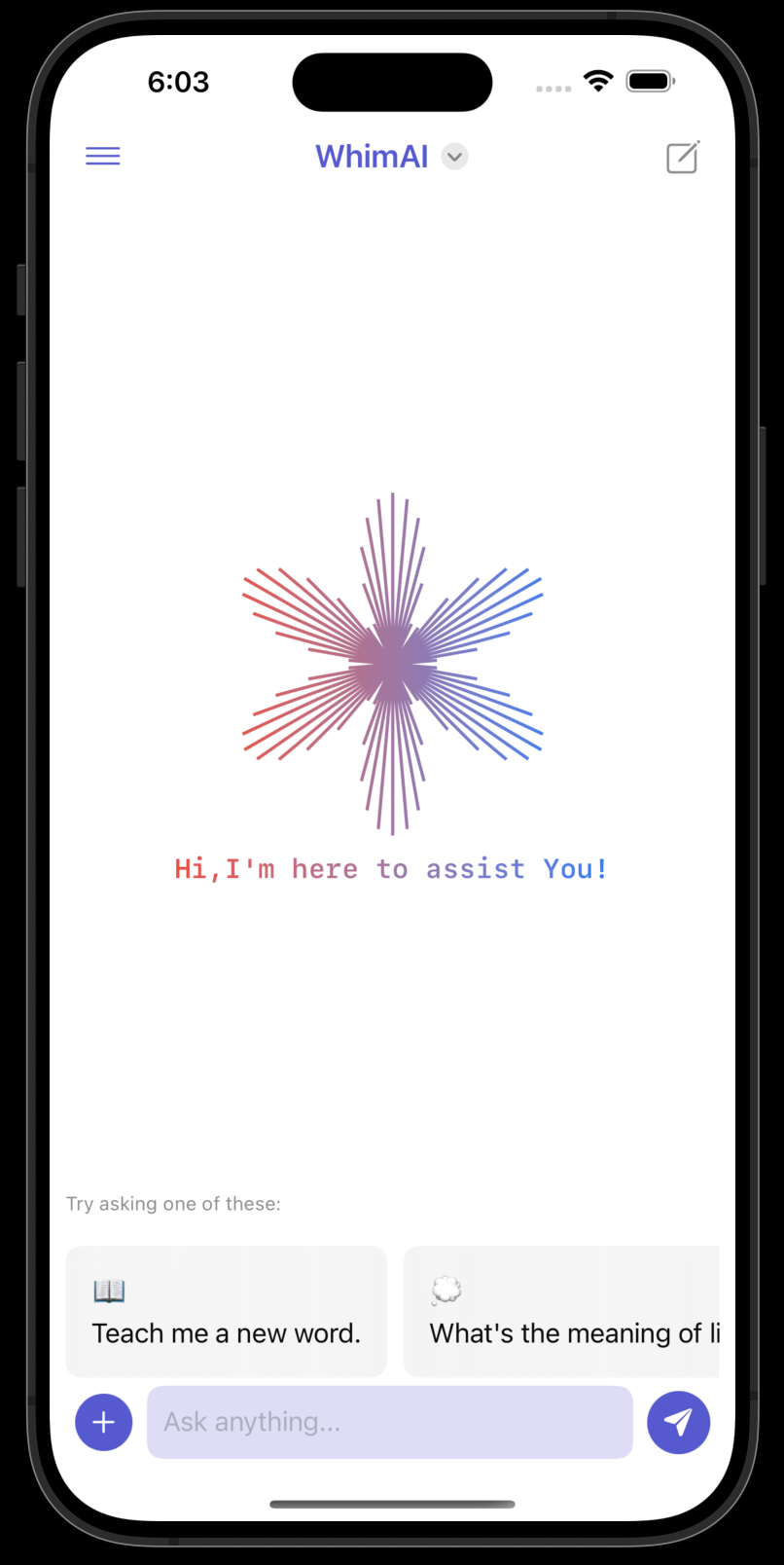
AI-powered iOS app exploring creative possibilities with intelligent features and polished native UI.
What I built.
- 01Voice-enabled conversational interface
- 02Intelligent multimodal interactions
- 03Native iOS design language and fluid transitions
Project details
In depth.
WhimAI is an innovative AI-powered chat application that transforms the way users interact with technology. Designed to provide seamless, engaging, and personalized conversations, WhimAI leverages cutting-edge AI technologies and a user-centric design to deliver an unparalleled chat experience.
Features
Voice Input and Output
- Voice Commands: Interact with the app using your voice. Simply speak, and WhimAI will understand and respond accordingly.
- Voice Responses: Get responses read out loud to you in a natural-sounding voice, making interactions more human-like and engaging.
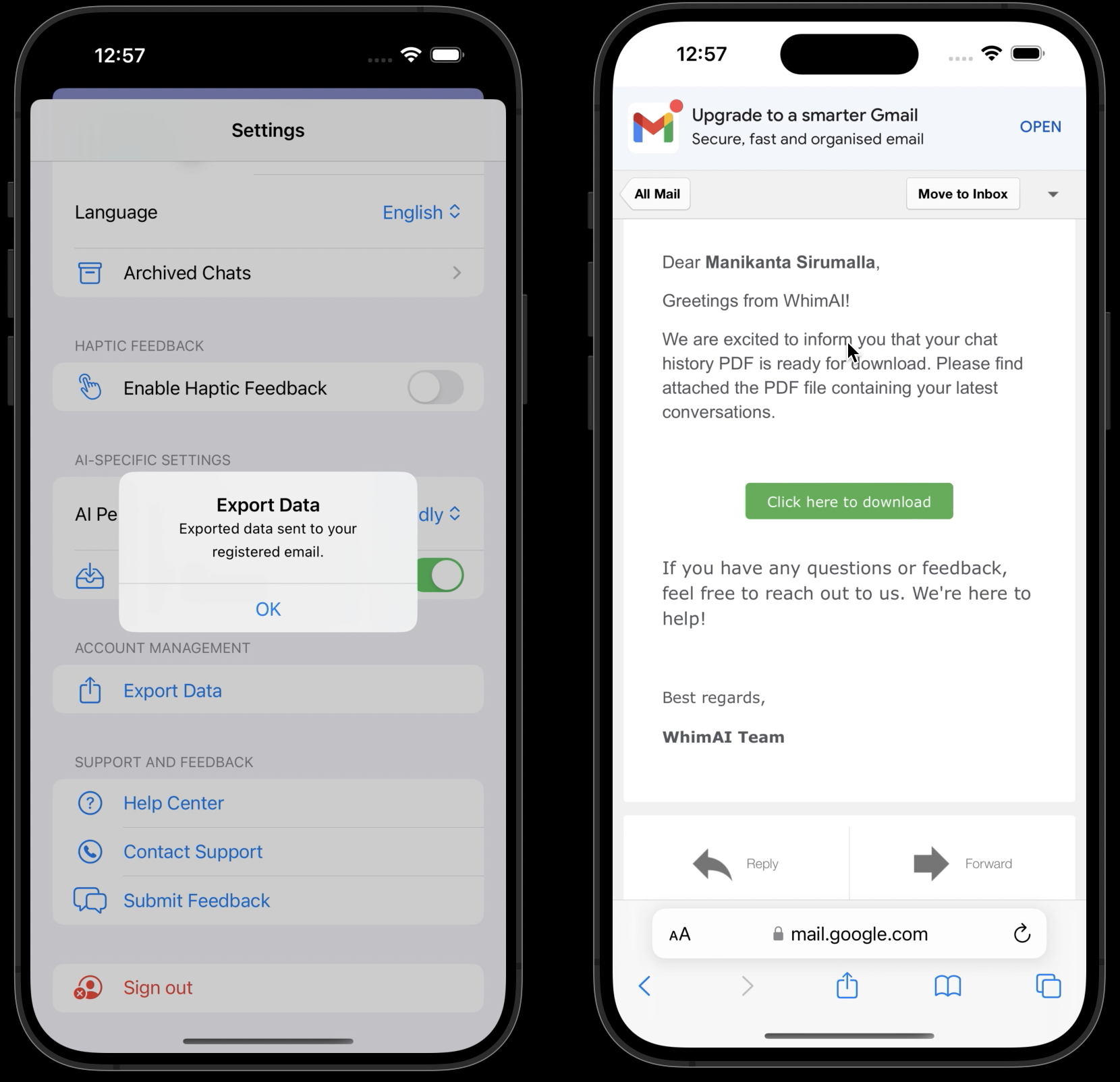
PDF Export via Email
- Export Chats: Easily export your chat histories to a PDF file.
- Email Integration: Send the exported PDF directly to your email with just one click, making it simple to save and share important conversations.
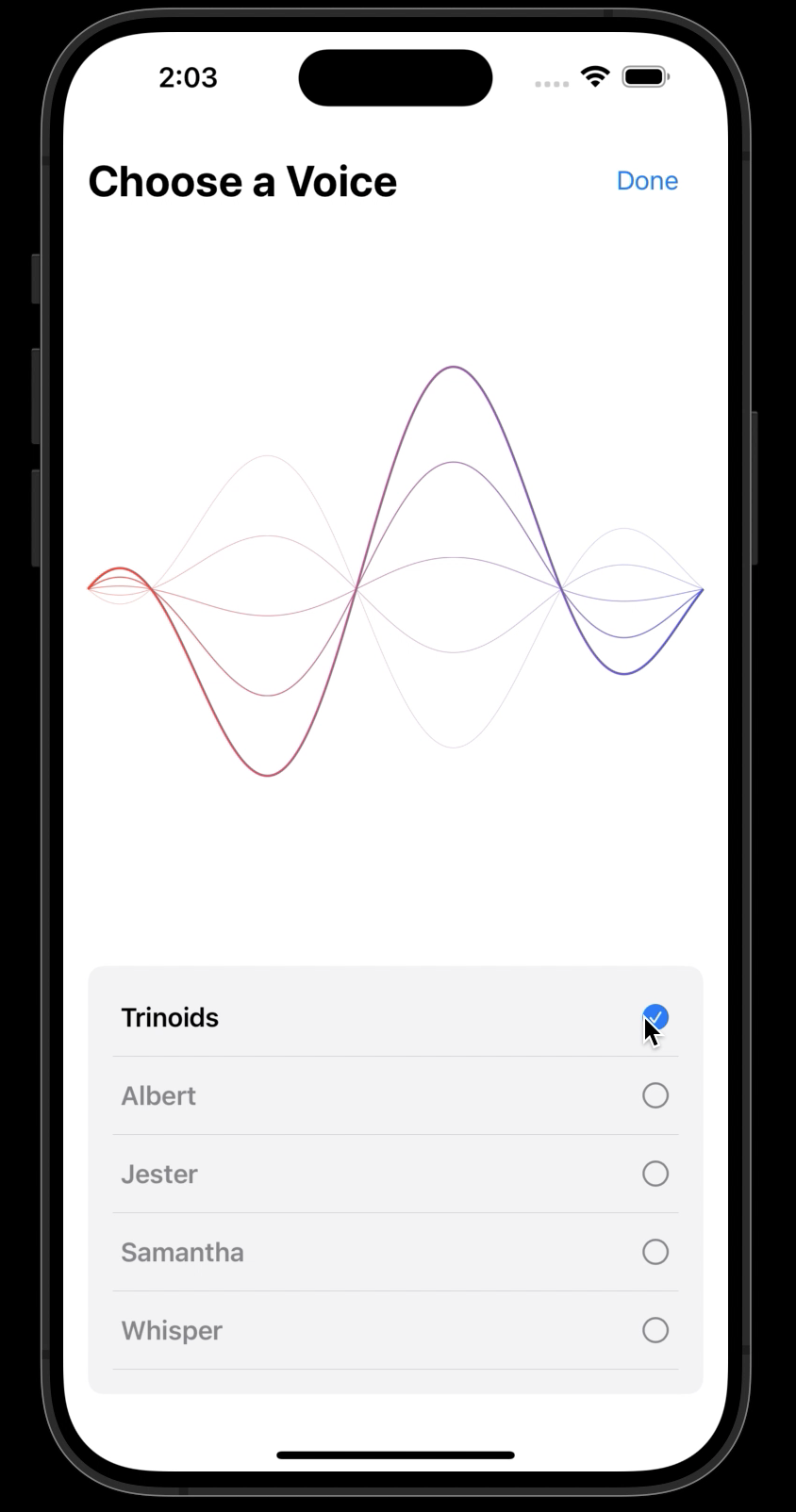
Choose a Voice
- Voice Selection: Personalize your chat experience by selecting from five distinct voices: Alex, Samantha, Victoria, Fred, and Karen.
- Demo Playback: Listen to a demo sentence in the selected voice to ensure it meets your preference.
- Waveform Animation: Enjoy a dynamic wave animation when the app is speaking, and a static linear gradient when it is not, enhancing the visual experience.
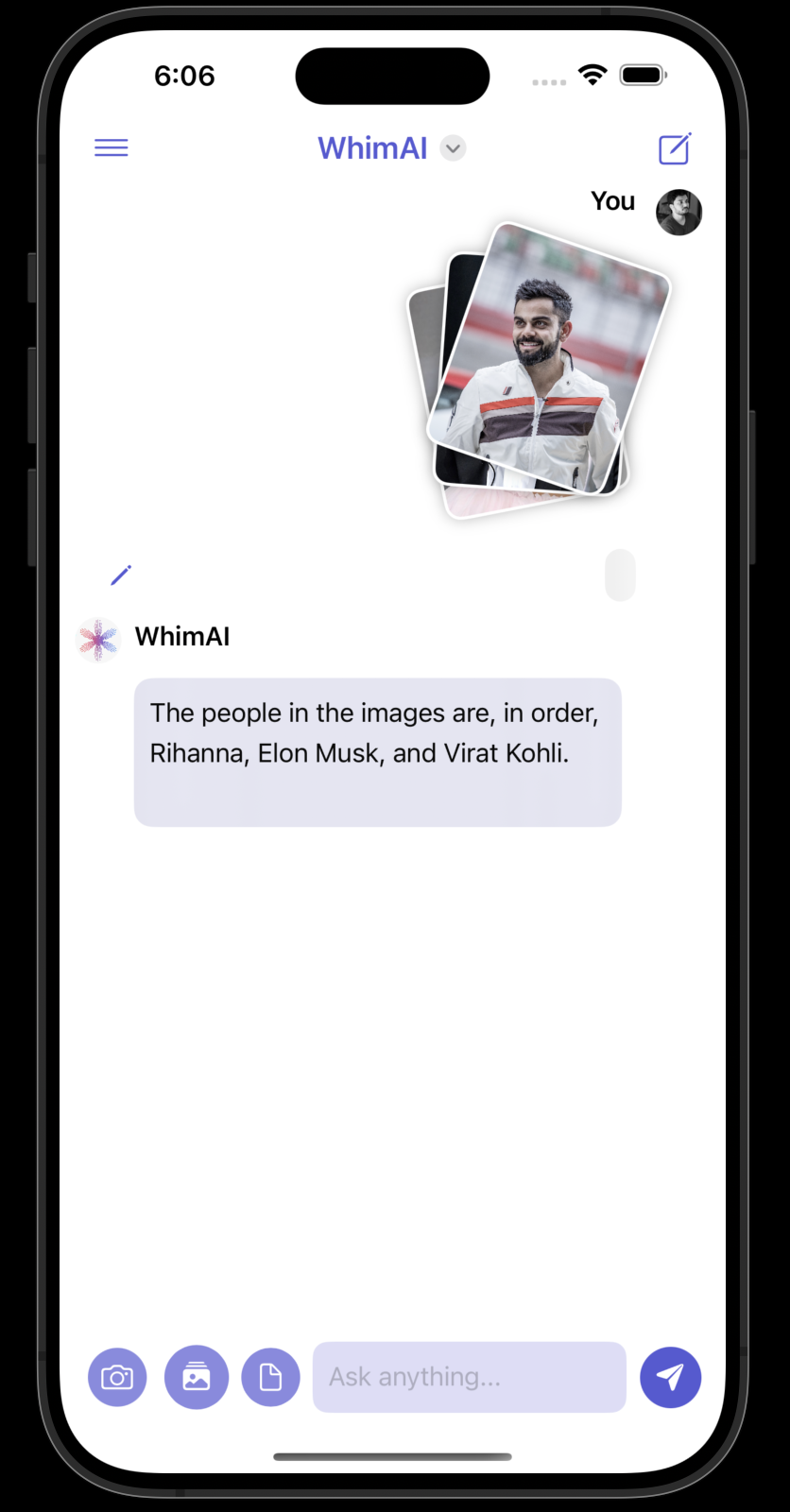
Multi-Image Support
- Image Sharing: Send and receive multiple images in a single conversation.
- Real-Time Updates: Experience smooth and real-time image sharing within your chats.
Accessibility
- Screen Reader Compatibility: Fully compatible with screen readers to assist visually impaired users.
- High Contrast Mode: Enhanced visual options for better readability.
- Voice Input: Hands-free operation through voice commands.
- Voice Output: Audio feedback for easier understanding and interaction.
Widgets
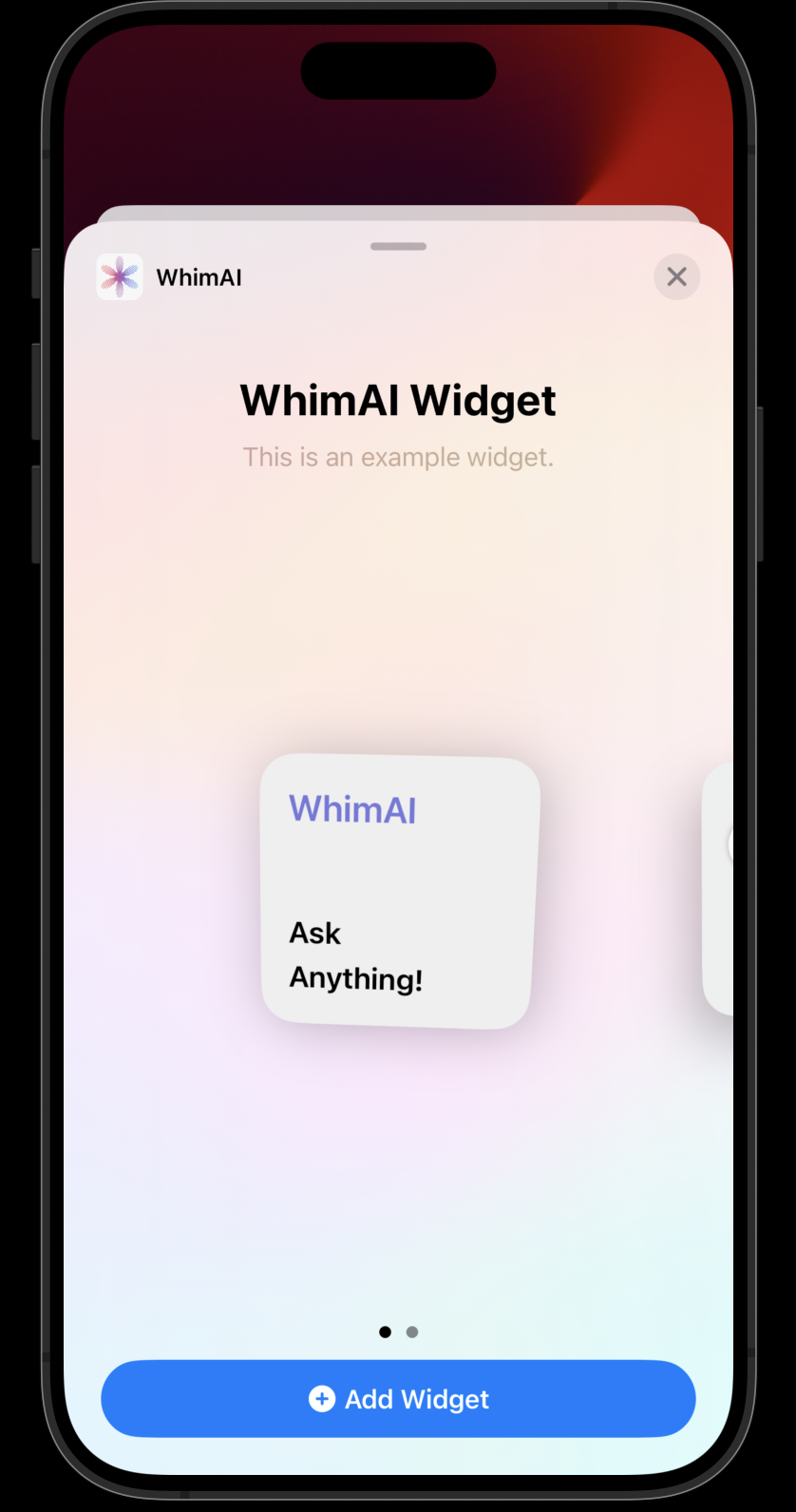
- Small Widget: Compact and simple, offering quick access to the app.
- Medium Widget: Includes the app name and three quick action buttons for starting new chats, viewing recent chats, and accessing settings.
- Large Widget: Displays recent chat histories for quick reference and easy access.
Technologies Used
- Swift & SwiftUI: For a smooth and responsive user interface.
- Combine: For managing asynchronous events and data binding.
- UIKit: For handling more complex UI elements.
- AVFoundation: For voice input and output capabilities.
- Firebase: For authentication and real-time database management.
- MailGun: For seamless email integration.
- MessageUI: For composing and sending emails from within the app.
Project Highlights
Interactive Chat
PDF Export via Email
- Chat Export: Developed a feature enabling users to export their chat histories to PDF files.
- Email Integration: Leveraged MailGun for seamless email delivery of the exported PDFs.
Voice Customization
- Implemented a voice selection feature with demo playback and dynamic waveform animations.
- Utilized AVFoundation for high-quality voice synthesis.
Multi-Image Support
- Image Sharing: Enabled users to send and receive multiple images within a single chat.
- Real-Time Updates: Ensured smooth and real-time image sharing with robust backend integration.
Accessibility Features
- Screen Reader Compatibility: Ensured the app is fully compatible with screen readers.
- High Contrast Mode: Added high contrast mode for better readability.
- Voice Input and Output: Facilitated hands-free operation through voice commands and audio feedback.
Widget Development
- Created small, medium, and large widgets to enhance user engagement and provide quick access to app features.
- Designed widgets using SwiftUI for a consistent look and feel across all iOS devices.
Chat Management
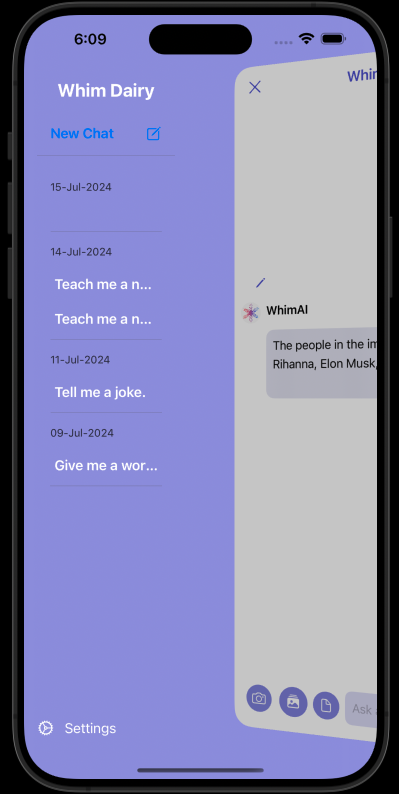
- Grouped by Date: Implemented functionality to group chat histories by date for better organization.
- Context Menus: Added context menus for chat rows to enable sharing, archiving, and deleting chats.
Generic Functions and Combine Integration
- Combine Framework: Refactored code to use Combine for managing asynchronous tasks, improving performance and readability.
- Generic Functions: Developed generic functions to handle common tasks and reduce code redundancy.
App Customization and Prompts
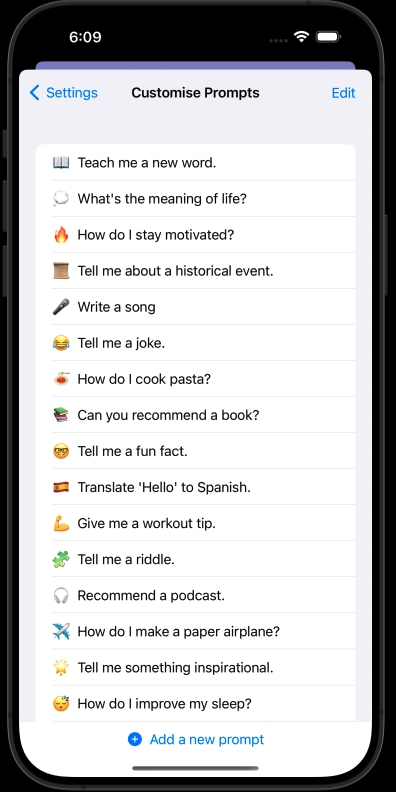
- Custom Prompts Management: Allowed users to add, edit, and delete custom chat prompts, stored using AppStorage for persistence.
- Interactive List: Designed an interactive list with a button to add new prompts, enhancing user experience.
Authentication and User Management
- Firebase Integration: Utilized Firebase for user authentication and real-time database management.
- Profile and Settings: Created profile and settings views to manage user information and preferences.
Real-Time Chat Enhancements
- Real-Time Updates: Ensured real-time updates for chats and notifications using Firebase.
- Image and Text Integration: Allowed seamless integration of images and text within chat messages.
Auto-Delete and Clear Chat Features
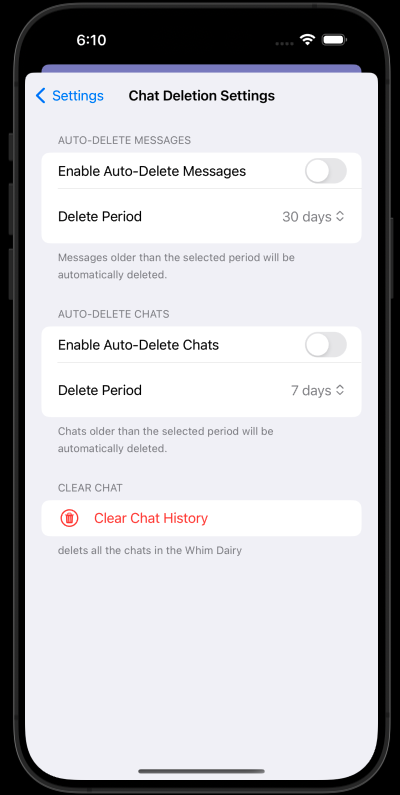
- Auto-Delete: Implemented an auto-delete feature for messages and chats after a specified period.
- Clear Chat: Added functionality to clear chat histories, improving app performance and user experience.
Tech specs
Under the hood.
- Swift
- UIKit
- CoreML
Highlights your strength in turning AI capability into user-friendly mobile experiences.